 Caption
10 Best CapCut Alternatives India 2026 — Free + Paid Video Editing Apps for Reels
CapCut officially banned in India hai 2020 se. Lekin Reels banana band thode hi hota hai — yahaan 10 best tested alternatives hain jo legally available hain, watermark-free options ke saath, aur Indian creators ke real-world budget mein fit hote hain. Caption-ready apps jo viral content banate hain.
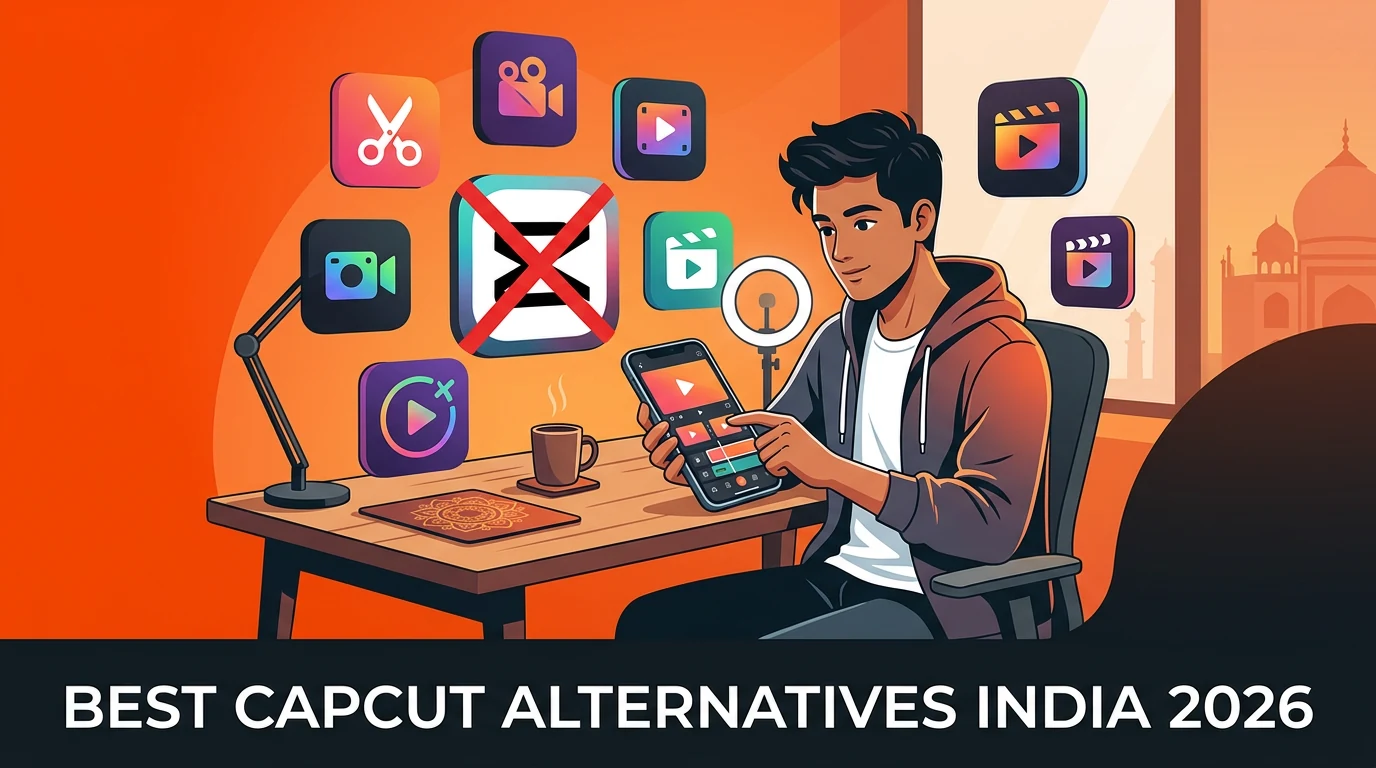
10 Best CapCut Alternatives · India · 2026 Edition
Free Champion: Instagram Edits (Meta's new app, no watermark, India-friendly). Free Pro: VN Video Editor. Best Beginner Mobile: InShot. Pro Mobile: KineMaster (₹399/mo). Best Desktop: Filmora (₹1,999/yr) or DaVinci Resolve (free). All 10 apps officially available on Google Play / App Store India. No VPN or APK workarounds needed.
Bhai, sach baat — CapCut ka editing tool nahi, viral content ka caption hota hai. Maine 113+ blogs likhe captions pe, aur seekha ek baat: jiska editing strong hai par caption weak, uska reel mar jata hai. Jiska editing OK hai par caption killer, wo viral hota hai.
Tool pick karo wisely — but remember, app sirf 30% hai. Baki 70% hook + caption hai.CapCut India Status — The Real Story
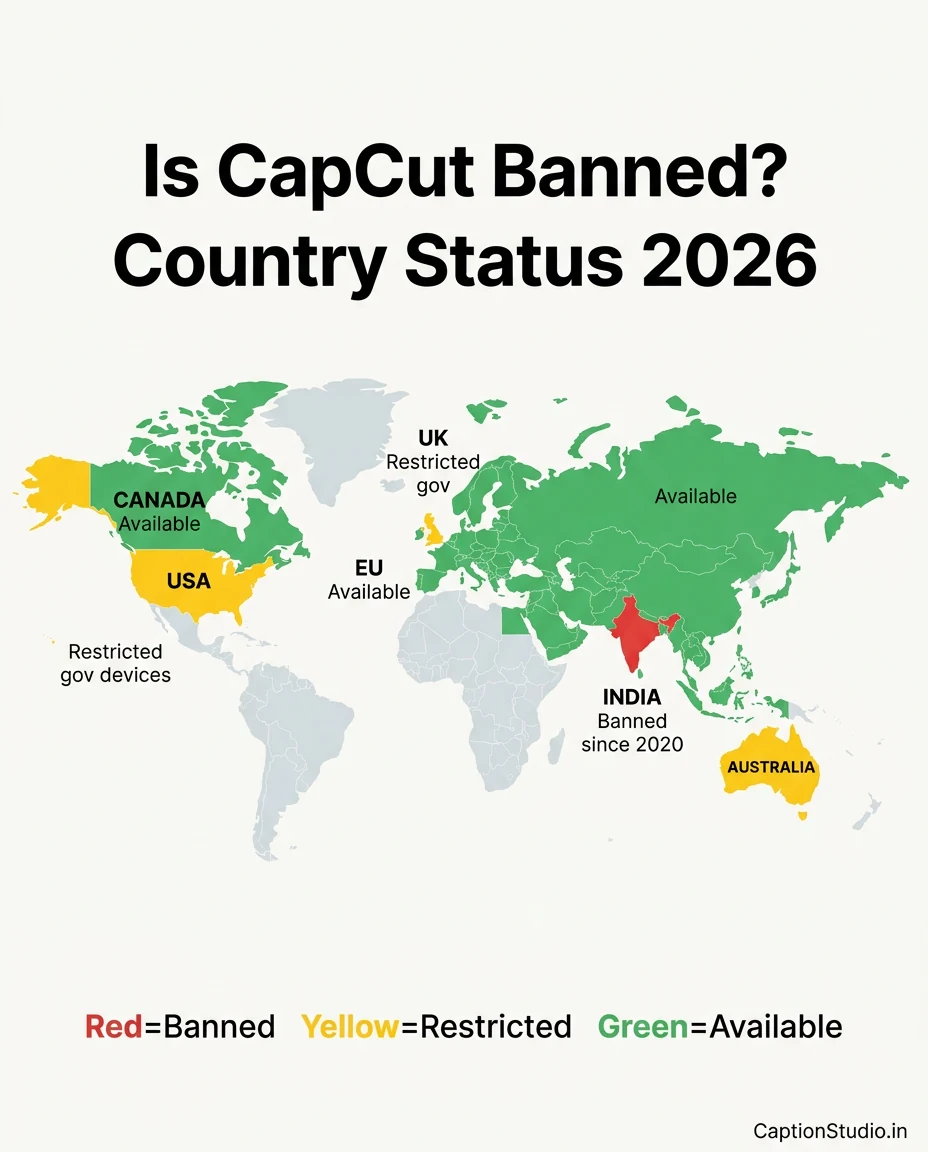
Pehle facts clear karte hain. June 2020 se, CapCut officially banned hai India mein as part of Government of India ki larger restriction on ByteDance apps (jisme TikTok bhi shamil tha). 2026 mein bhi ye ban active hai — Google Play Store aur Apple App Store ke India version pe CapCut available nahi hai.
Why The Confusion?
Internet pe contradictory information mil rahi hai. Kuch websites kehti hain "CapCut available hai India mein" — ye misleading hai. Reality ye hai:
- Official channels: ❌ Banned (Play Store, App Store India)
- Unofficial APK downloads: ⚠️ Available but risky (security, malware, no updates)
- VPN workarounds: ⚠️ Possible but against app's ToS and government restrictions
- APK from untrusted sources = malware risk on your phone
- No security updates = vulnerable to hacks
- Account may get permanently suspended
- Cloud features stop working without VPN
- Legal alternatives below give 90%+ same features safely
The Good News
2025-2026 mein editing app market massively improved hai. Instagram Edits (Meta's new official app, 2025 launch) ne quality bar bahut raise kar di hai — completely free, no watermark, India officially available, aur specifically Reels ke liye built hai. CapCut ki almost har feature legally available hai ab.
💚 Confused Which App to Pick?
Apne niche, budget, aur device ke hisaab se personalized recommendation chahiye? Direct WhatsApp pe message karo — first consultation free.
Quick Comparison Table — All 10 Apps
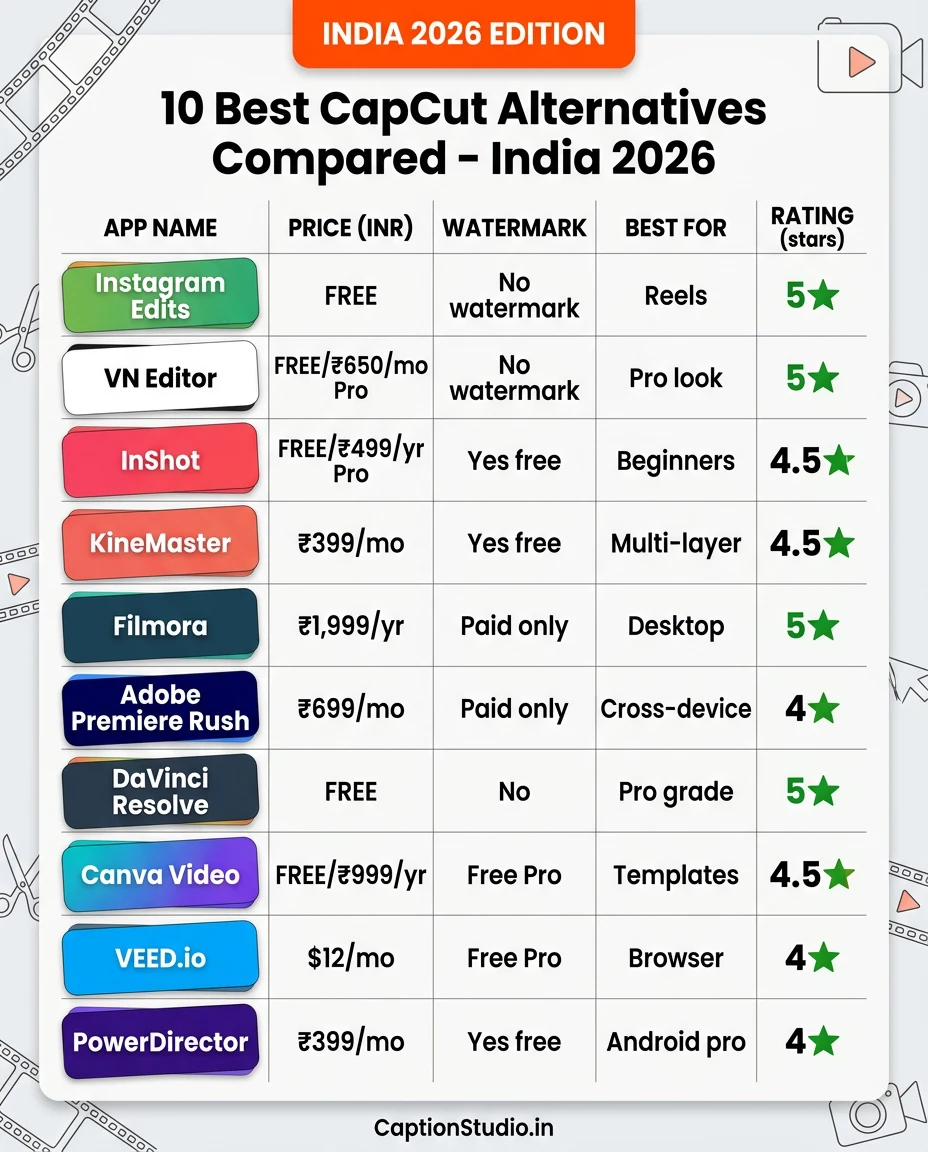
| # | App | Platform | Price (India) | Watermark | Best For |
|---|---|---|---|---|---|
| 1 | Instagram Edits | Android, iOS | FREE | ❌ None | Reels creators (any level) |
| 2 | VN Video Editor | Android, iOS, PC | FREE / ₹650/mo Pro | ❌ None (free) | Pro mobile editors |
| 3 | InShot | Android, iOS | FREE / ₹499/yr Pro | ✅ Yes (free) | Beginners, quick edits |
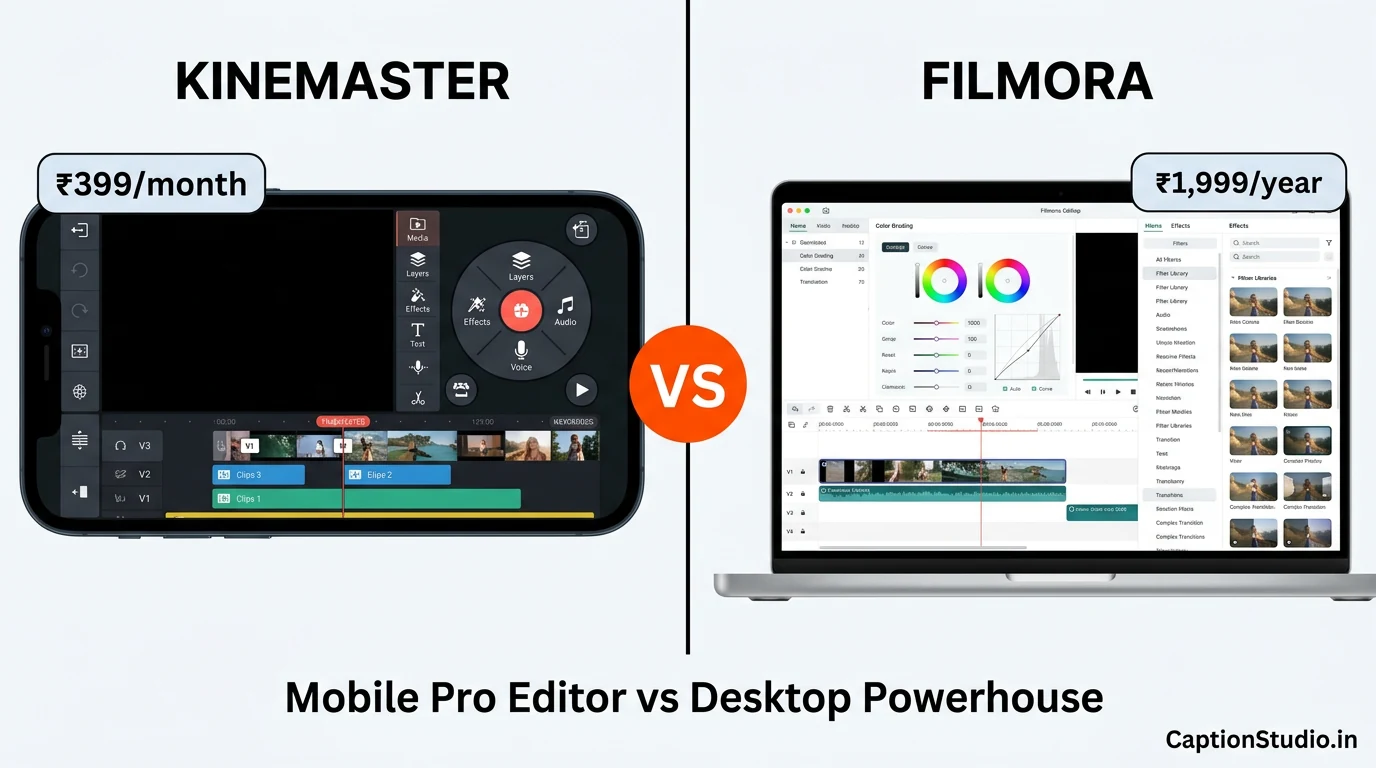
| 4 | KineMaster | Android, iOS | FREE / ₹399/mo | ✅ Yes (free) | Multi-layer mobile pros |
| 5 | Filmora | Windows, Mac, Android, iOS | ₹1,999/year approx | ✅ Yes (free trial) | Desktop creators |
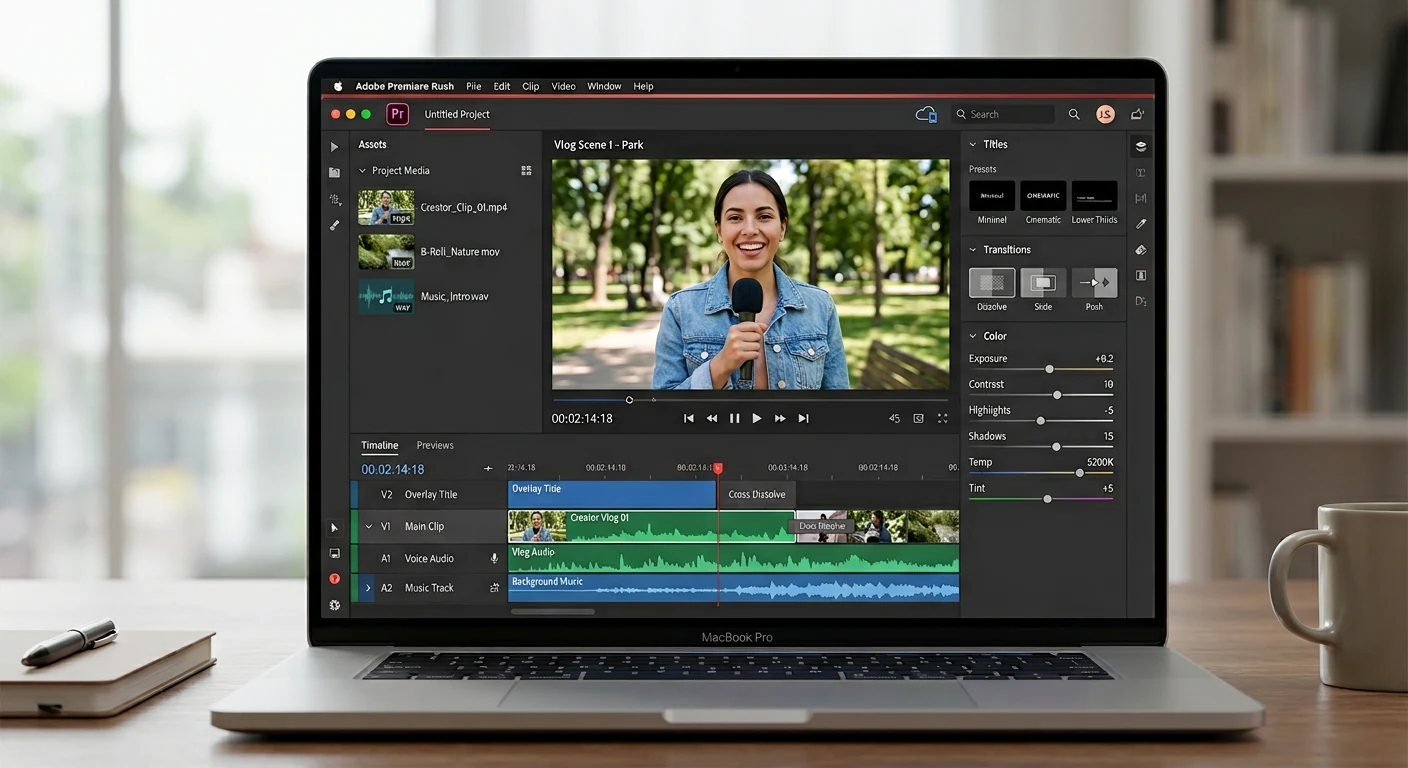
| 6 | Adobe Premiere Rush | Android, iOS, PC | ~₹699/mo (with CC) | ❌ None (paid) | Cross-device workflow |
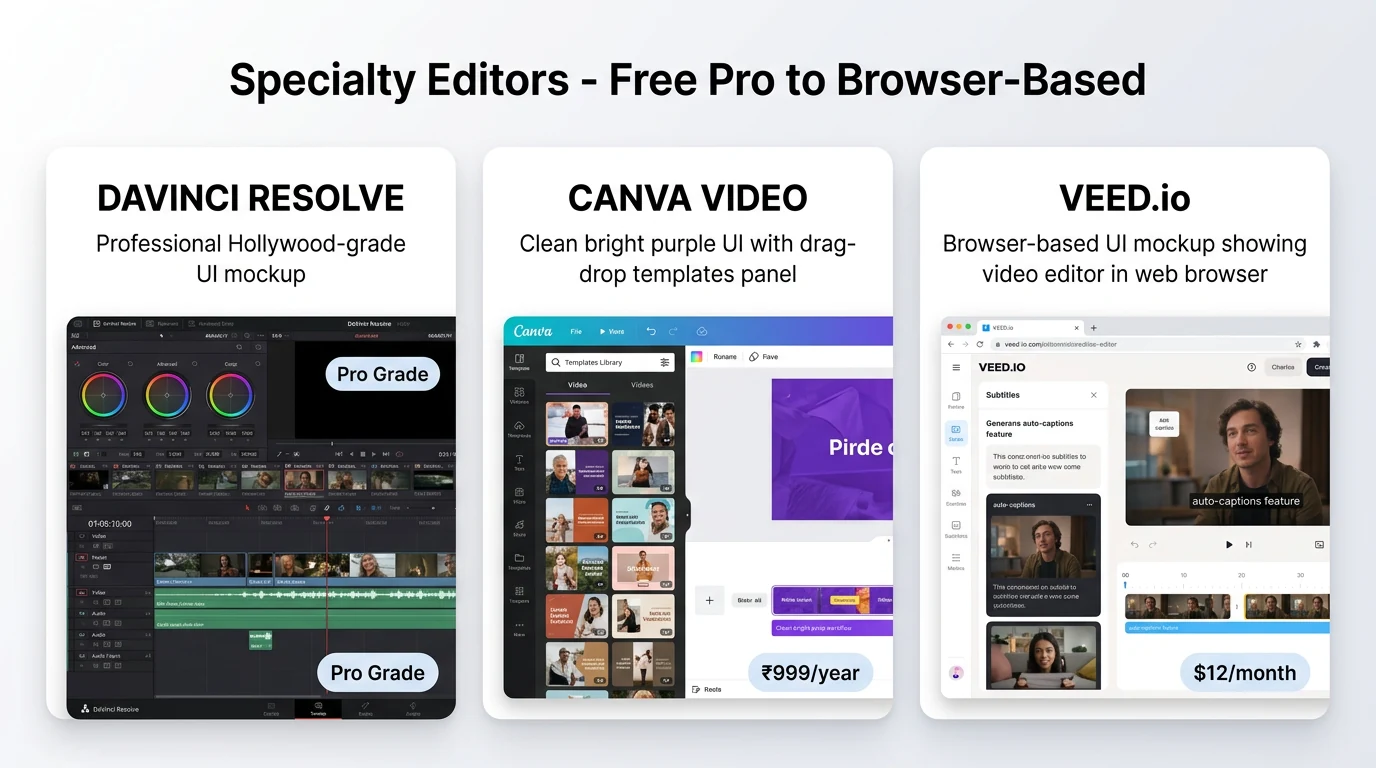
| 7 | DaVinci Resolve | Windows, Mac, Linux | FREE / $295 Studio | ❌ None | Pro-grade desktop |
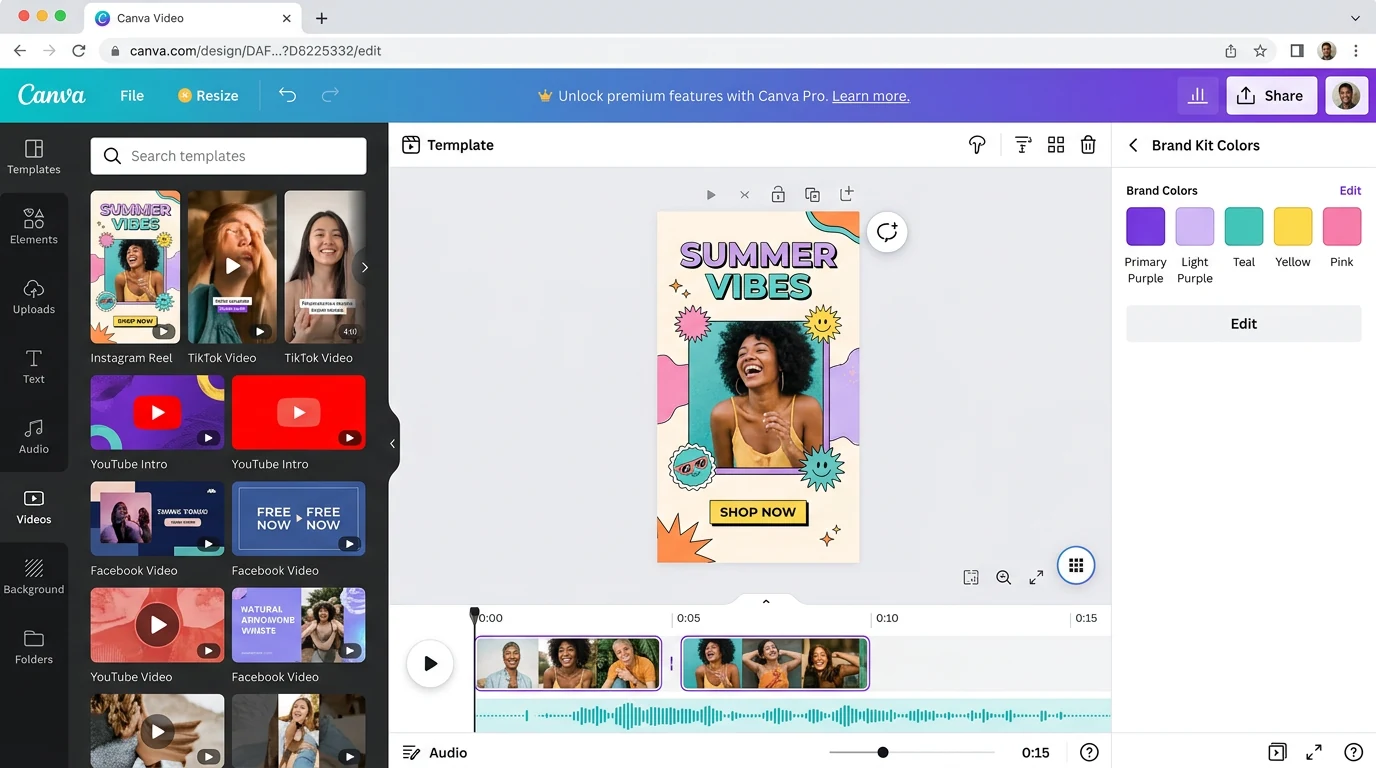
| 8 | Canva Video | Web, Android, iOS | FREE / ₹999/yr Pro | ❌ None (Pro) | Template-based content |
| 9 | VEED.io | Web (browser) | FREE / ~$12/mo Pro | ✅ Yes (free) | Browser-based, collab |
| 10 | PowerDirector | Android, iOS, PC | FREE / ₹399/mo | ✅ Yes (free) | Android power users |
Pricing data sourced from app official websites and Google Play / App Store India listings (June 2026). Subject to change.
#1 Instagram Edits — Best Free for Reels (Meta Official)
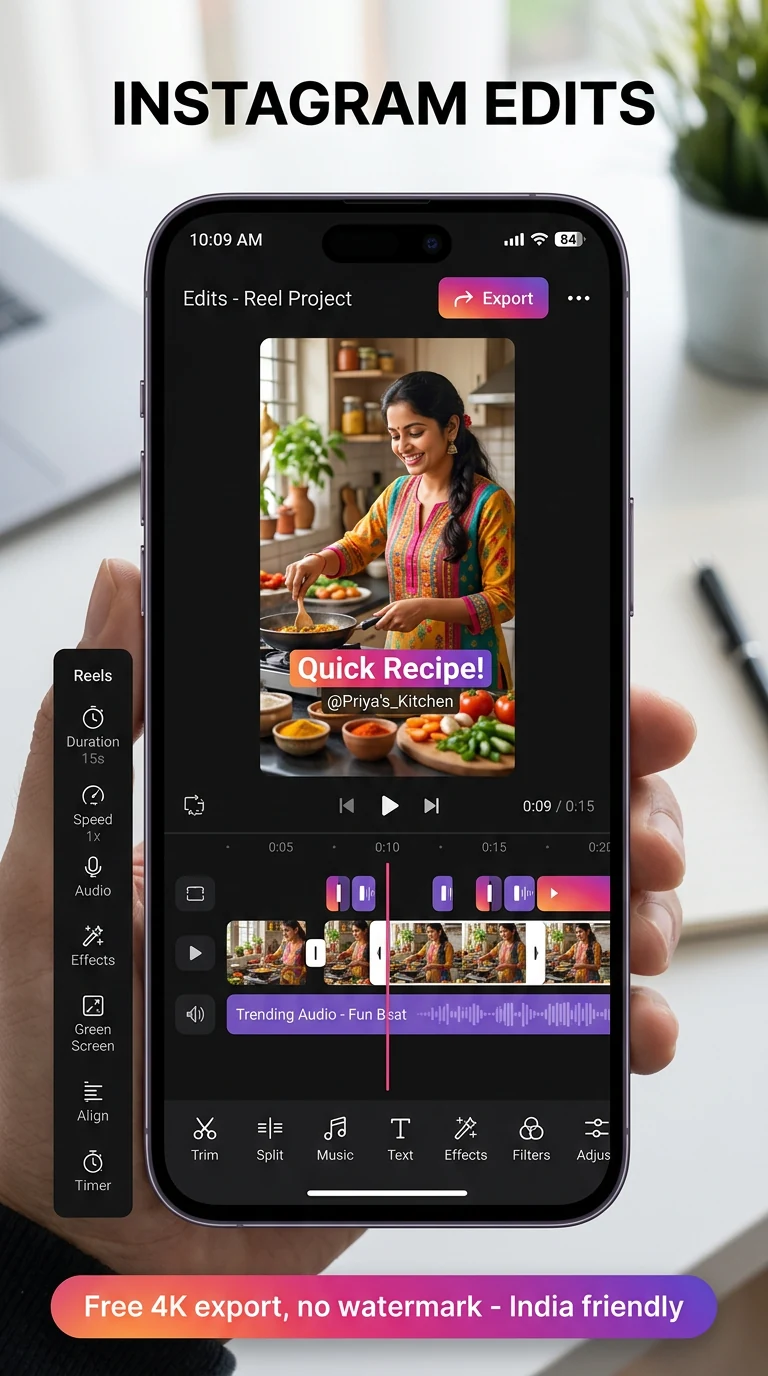
Instagram Edits
Meta launched Instagram Edits in 2025 as a direct response to CapCut. It's completely free, exports in 4K without watermark, aur built-in Reels analytics dashboard hai jo show karta hai ki edit karne ke baad your Reels kaise perform kar rahi hain. Indian creators ke liye sabse safe aur officially supported choice.
✅ Pros
- Completely FREE, no Pro tier
- 4K export, no watermark
- Built-in Reels analytics
- India officially available
- Meta-backed (safe long-term)
- Built for Reels specifically
❌ Cons
- Only for Instagram (not YouTube/TikTok)
- Limited multi-layer editing
- Fewer trending templates than CapCut
- Newer app — fewer tutorials online
#2 VN Video Editor — Best Free Pro-Level
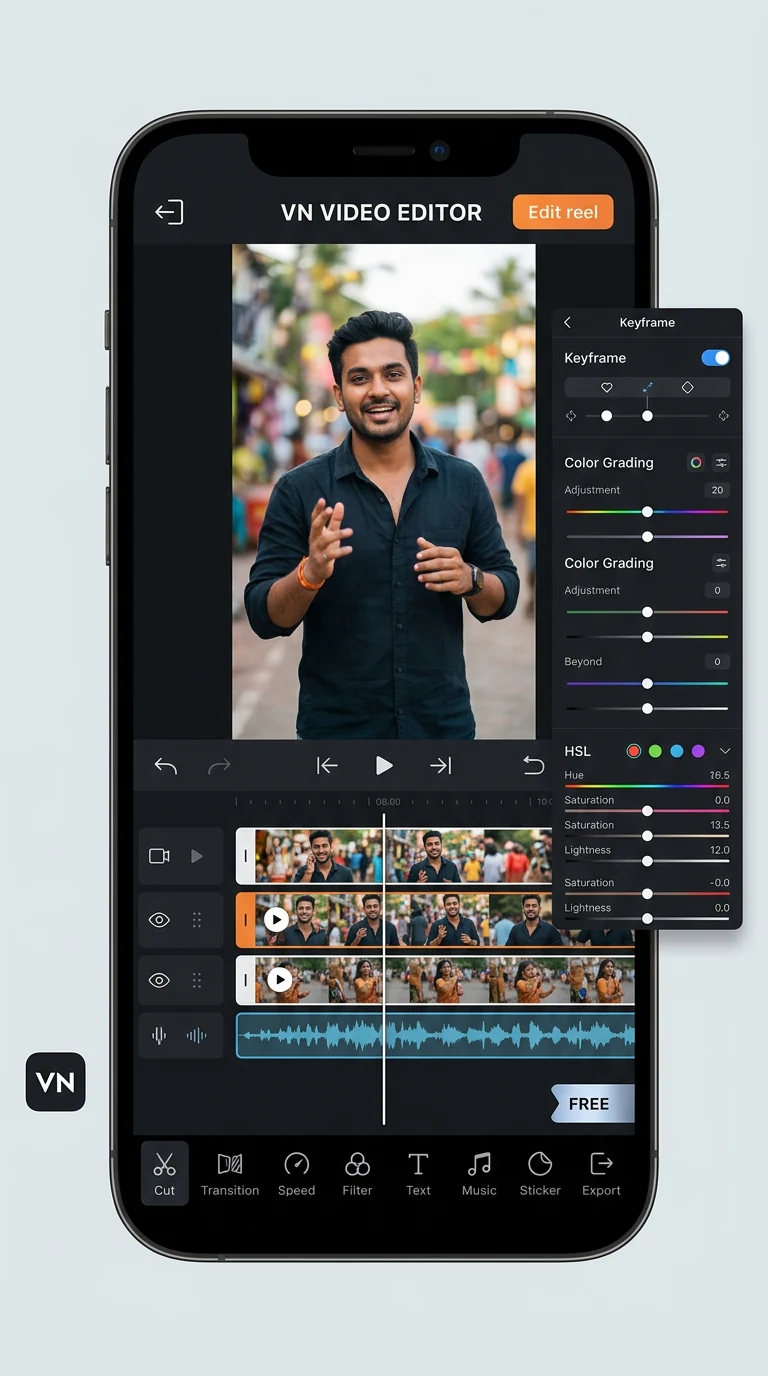
VN Video Editor
VN ka full naam "VlogNow" hai. Ye free version mein hi multi-track timeline, keyframe animations, color grading, HSL adjustments, picture-in-picture sab deta hai — bina watermark ke. Indian creators jo serious editing karna chahte hain bina paisa diye, VN sabse strong pick hai.
✅ Pros
- Free version has no watermark
- Multi-track timeline (rare in free)
- Keyframe animations
- Color grading + LUT support
- 4K export supported
- Cross-device (mobile + PC)
❌ Cons
- Ads in free version
- Steeper learning curve than InShot
- Limited cloud sync
- Some advanced effects behind Pro
#3 InShot — Best Beginner Mobile App
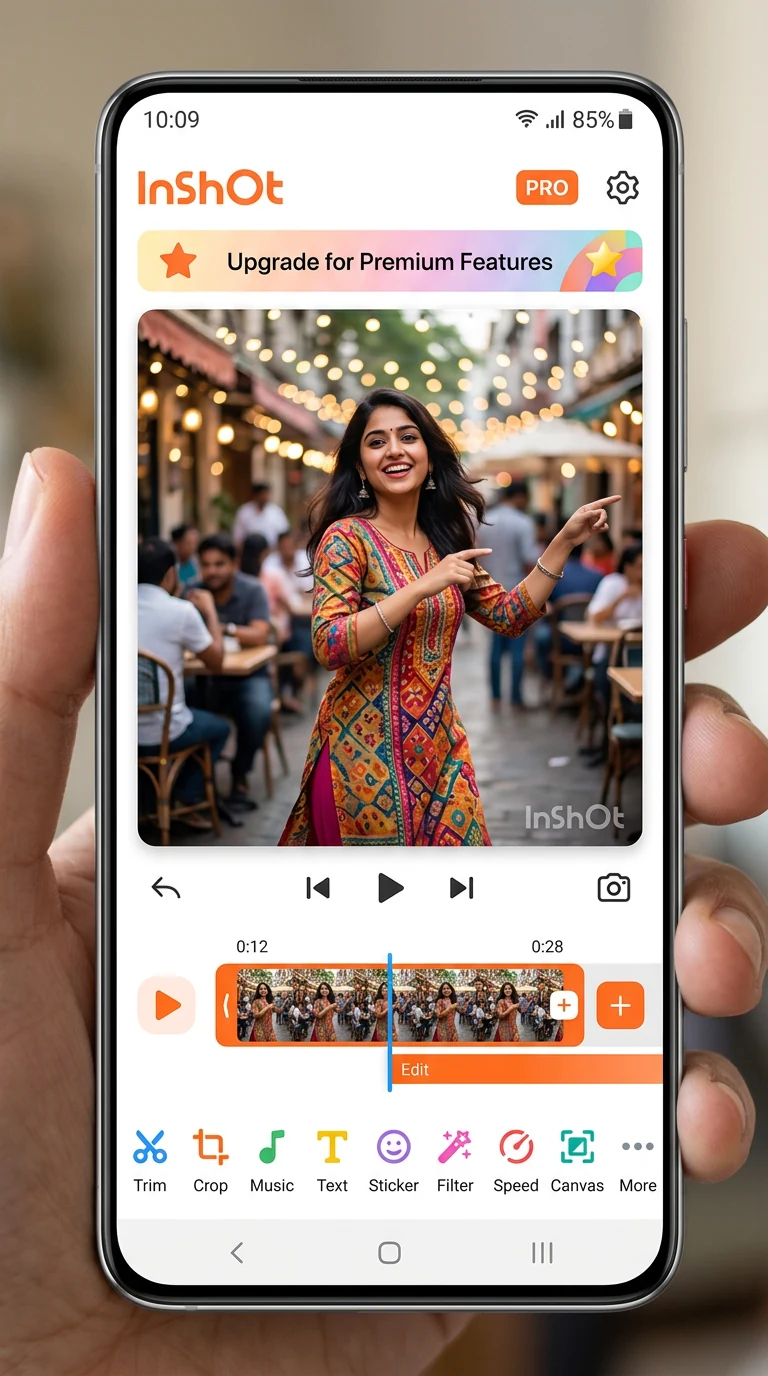
InShot
InShot beginners ke liye sabse easy interface deta hai. Drag-drop, simple icons, fast exports. Free version mein watermark hai (Pro mein remove hota hai). Indian creators ke beech bahut popular hai because it's intuitive.
✅ Pros
- Easiest interface for beginners
- Fast renders + exports
- Frequent updates with trends
- AI background removal (Pro)
- Beat-sync features
- Lifetime ₹4,000 option (no monthly)
❌ Cons
- Free version has watermark
- Limited multi-layer in free
- Pro features behind subscription
- Ads can interrupt workflow
#4 KineMaster — Best Pro Mobile Editor
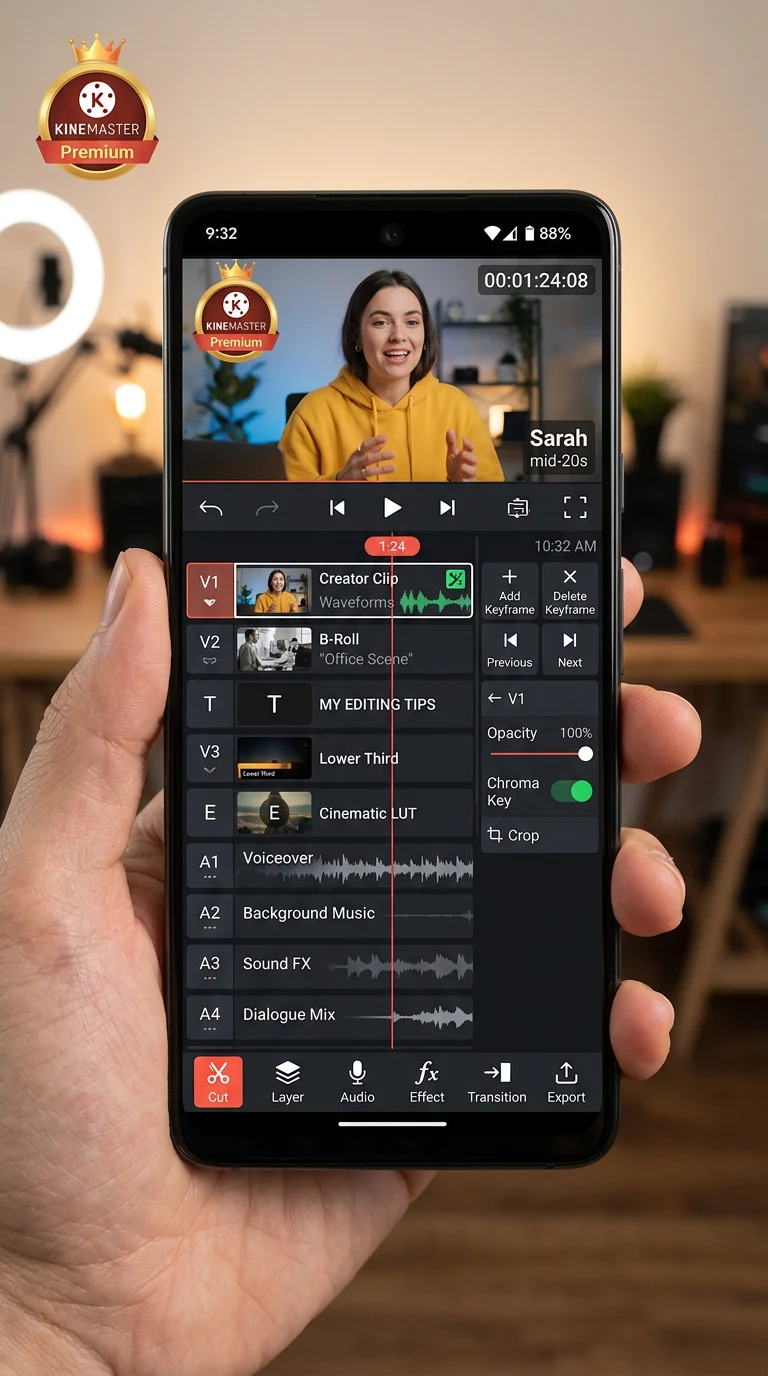
KineMaster
KineMaster Indian YouTubers aur Reels creators ka old favorite hai. Multi-layer editing (9 tracks support), keyframe animations, green screen, multi-camera support. Mobile pe Hollywood-level editing ka sabse close experience.
✅ Pros
- 9-track multi-layer editing
- Picture-in-picture mastery
- Green screen (chroma key)
- Frame-by-frame editing
- Huge asset store
- Indian creator community is huge
❌ Cons
- Free version watermark
- Steeper learning curve
- Premium subscription needed for pro use
- Battery heavy
#5 Filmora — Best Desktop Editor (Affiliate Pick)
Filmora by Wondershare
Filmora desktop editing mein beginner-friendly + power balance ka sabse best hai. Adobe Premiere itna complex nahi, lekin features lagbhag same. Indian creators jo laptop pe edit karte hain unke liye top pick.
✅ Pros
- Easiest desktop editor to learn
- AI Cutout, beat detection
- Huge asset library
- Affordable (₹1,999/yr ≈ ₹165/mo)
- Mobile + Desktop sync
- Templates for Reels included
❌ Cons
- Free trial has watermark
- Heavy on CPU
- Some features feel basic vs Premiere
- Yearly subscription model
#6 Adobe Premiere Rush — Cross-Device Pro
Adobe Premiere Rush
Premiere Rush Adobe ka simplified video editor hai — Premiere Pro ki shakti, lekin beginner-friendly UI. Sabse strong feature: seamless mobile-desktop sync. Phone pe edit shuru karo, laptop pe finish, ya vice versa.
✅ Pros
- Best mobile-desktop cross-device sync
- Adobe quality export
- Templates from Adobe Stock
- Auto-reframe for vertical Reels
- No watermark (paid)
❌ Cons
- Pricey if standalone (₹699+/mo)
- Limited free trial
- Requires Adobe ID
- Less popular in India vs Filmora
#7 DaVinci Resolve — Pro-Grade Free Desktop
DaVinci Resolve
Hollywood blockbusters yahi use karte hain. DaVinci Resolve free version mein hi pro-level color grading, audio post-production, visual effects, multi-track editing — sab kuch deta hai. Steep learning curve, lekin once you learn — paisa kabhi nahi dena padega.
✅ Pros
- Free version = full pro tool
- Industry standard color grading
- AI-powered features (Studio)
- Multi-track audio mixing
- VFX with Fusion built-in
- Used by Netflix, Marvel productions
❌ Cons
- Needs powerful PC (8GB+ RAM, GPU)
- Complex UI — steep learning
- Not for casual creators
- No mobile app
#8 Canva Video — Template-Based Drag & Drop
Canva Video
Canva sirf design tool nahi raha — 2025-2026 mein video editing seriously upgrade kiya hai. Templates-first approach: pre-made Reels templates, brand kits, animated text, drag-drop editing. Indian small businesses ke liye especially valuable.
✅ Pros
- Templates for every niche (1000s)
- Brand kit consistency
- Drag-drop simplest UI
- Animated captions built-in
- Works in browser (no install)
- Indian pricing affordable (₹999/yr)
❌ Cons
- Less flexible for custom edits
- Premium templates Pro-only
- Limited multi-layer
- Not ideal for cinematic Reels
#9 VEED.io — Browser-Based Online Editor
VEED.io
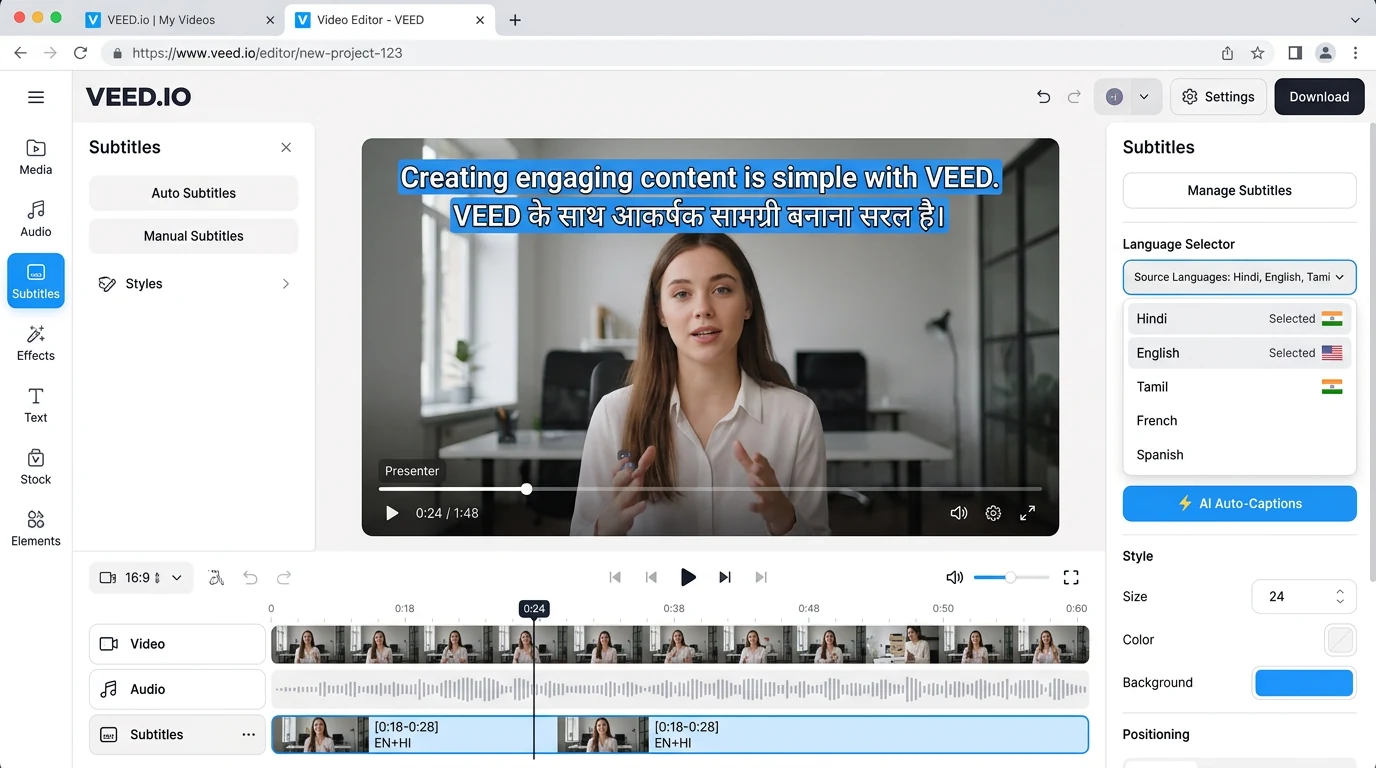
VEED.io 100% browser-based hai — koi install nahi chahiye. Auto-captions feature sabse strong hai (50+ languages including Hindi). Collaboration features good hain for teams.
✅ Pros
- No install — runs in browser
- Best-in-class auto-captions
- Team collaboration
- AI voiceovers
- 50+ languages support
- Works on any device with browser
❌ Cons
- Requires good internet
- Free version has watermark + limits
- Higher price for India ($12+/mo)
- No offline editing
#10 PowerDirector — Android Power User Pick
PowerDirector by CyberLink
PowerDirector Android pe specifically optimize ki gayi hai. KineMaster ka strong competitor. Pro-level mobile editing with chroma key, motion tracking, sound effects.
✅ Pros
- Android-optimized performance
- Chroma key (green screen) free
- Motion tracking
- 4K editing on supported devices
- Cross-platform with PC version
❌ Cons
- Free has watermark
- UI cluttered initially
- Pro features need subscription
- iOS version less polished
💰 Pricing Visual Comparison
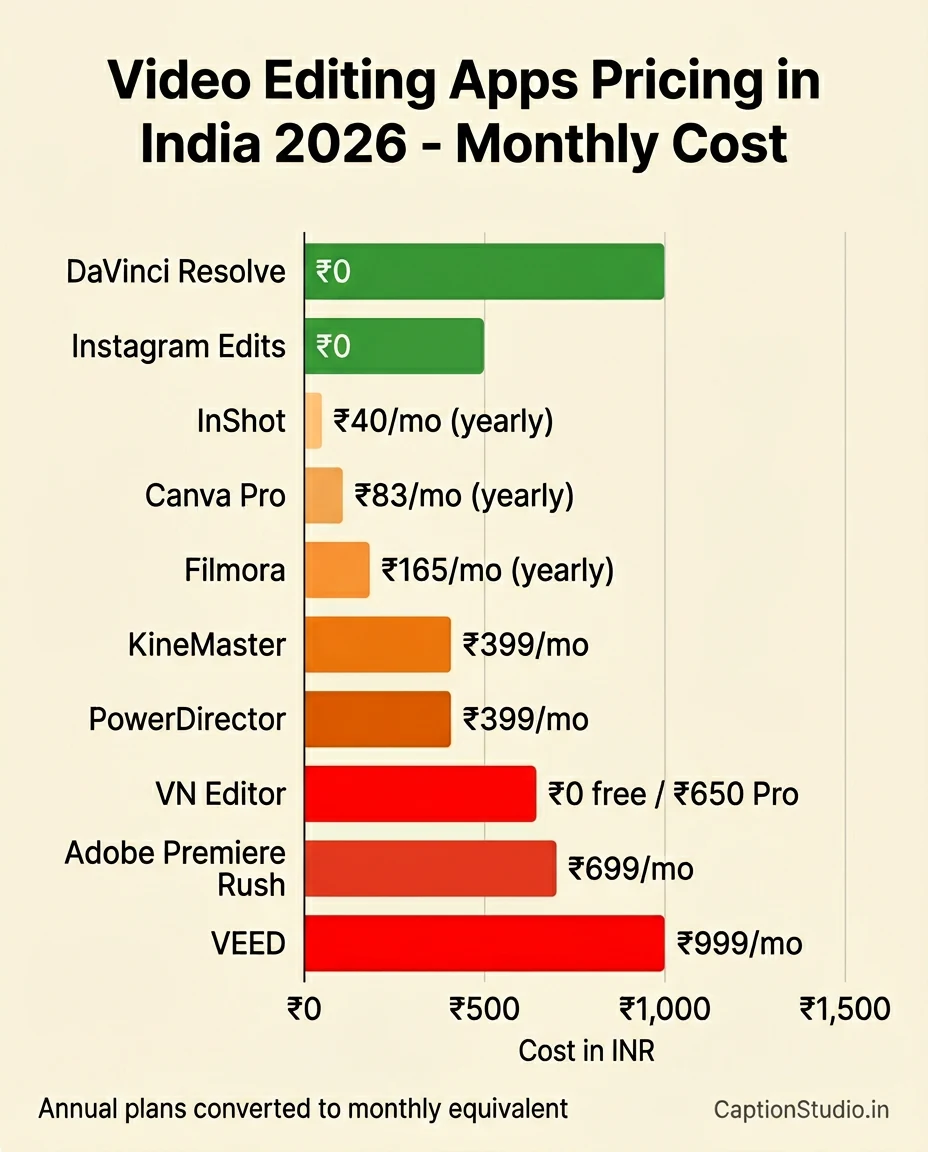
Free Champions: Instagram Edits, VN (free version), DaVinci Resolve, Canva (free tier)
Budget Paid (under ₹500/mo): InShot Pro (₹40/mo annualized), Canva Pro (₹83/mo), Filmora (₹165/mo annualized), KineMaster (₹399/mo), PowerDirector (₹399/mo)
Premium Paid: Adobe Premiere Rush (₹699+/mo), VEED Pro ($12+/mo)
Decision Tree — Which One Should YOU Use?
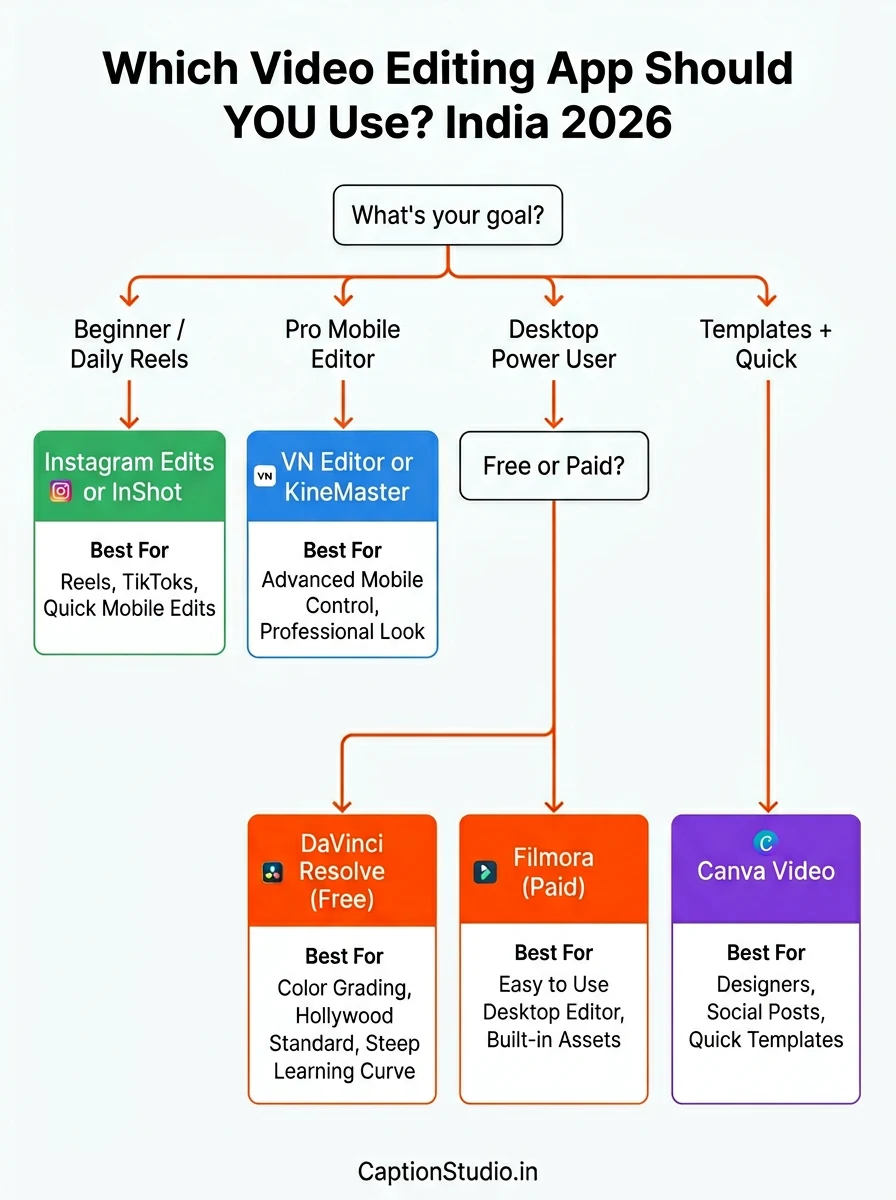
🎯 Pick By Goal:
If you're a complete beginner posting first reels:
👉 Instagram Edits (free, no learning curve) or InShot (most beginner-friendly UI)
If you post daily reels and want pro features for free:
👉 VN Video Editor (best free pro option, no watermark)
If you want multi-layer mobile editing for serious work:
👉 KineMaster Premium (₹399/mo, Indian-friendly pricing)
If you edit on laptop and want beginner-friendly:
👉 Filmora (₹1,999/yr — best desktop balance)
If you have powerful PC and want professional grade:
👉 DaVinci Resolve (free, Hollywood-grade)
If you want templates + branding combo:
👉 Canva Pro (₹999/yr, design + video suite)
If you need auto-captions in 50+ languages:
👉 VEED.io (browser-based, no install)
If you already use Adobe Creative Cloud:
👉 Adobe Premiere Rush (cross-device sync)
🎯 Best CapCut Alternative by YOUR Niche (India 2026)
Different niches need different editing styles. Yahaan har Indian creator niche ke liye specifically tested CapCut alternative:
| Your Niche | Best Alternative | Why? |
|---|---|---|
| 🍕 Food Creator | Canva Video | Recipe templates, brand kit, drag-drop simple |
| 💰 Finance/Stocks | Filmora (desktop) | Charts overlay, professional polish for serious topics |
| 👗 Fashion/Beauty | InShot Pro | Aesthetic filters, quick trendy edits |
| 💪 Gym/Fitness | VN Editor | Color grading for muscle definition, speed ramps |
| 📱 Tech Reviews | DaVinci Resolve | Pro-grade color + screen recording integration |
| 📚 Education/Study | Instagram Edits | Free, simple, focused on Reels reach |
| 🎭 Comedy/Skits | KineMaster | Multi-layer green screen, chroma key for skits |
| ✈️ Travel Vlogs | VEED.io or Premiere Rush | Auto-captions in 50+ languages |
| 💼 Business/B2B | Canva Video | Brand consistency, LinkedIn-ready formats |
| 🎵 Music/Dance | VN Editor | Beat-sync, multi-track audio |
| 📰 News/Updates | Instagram Edits | Fast posting, breaking news speed |
| 🛍️ UGC Creators | InShot + Canva combo | Brand-ready templates + quick edits |
🆚 CapCut vs These Alternatives — Feature-by-Feature
Aksar log puchhte hain — "CapCut alternative actually CapCut jaisa hi hai ya nahi?" Honest comparison:
| Feature | CapCut | Best Alternative |
|---|---|---|
| Trending Templates | ⭐⭐⭐⭐⭐ | Canva Video (⭐⭐⭐⭐) |
| AI Auto-Captions | ⭐⭐⭐⭐⭐ | VEED.io (⭐⭐⭐⭐⭐ tie) |
| Free + No Watermark | ⭐⭐⭐⭐ | Instagram Edits / VN (⭐⭐⭐⭐⭐ better!) |
| Multi-Layer Editing | ⭐⭐⭐⭐ | KineMaster (⭐⭐⭐⭐⭐ better) |
| Color Grading | ⭐⭐⭐⭐ | DaVinci Resolve (⭐⭐⭐⭐⭐ much better) |
| Speed Ramps | ⭐⭐⭐⭐⭐ | VN Editor (⭐⭐⭐⭐) |
| India Availability | ❌ Banned | All listed alternatives ✅ |
| Indian Trending Audio | ⭐⭐⭐⭐⭐ | Instagram Edits (⭐⭐⭐⭐⭐ Meta-backed) |
Bottom line: No single alternative is "exactly like CapCut", but combination of 2-3 covers everything CapCut offered — and they're safer, India-legal, and many are completely free.
🎬 Don't Want to Learn Editing?
CaptionStudio team tumhari raw clips ko viral-ready reels banake deti hai — with hook, transitions, captions, hashtags. Indian creators ke liye, Indian style mein.
- Basic Reel Edit: ₹499 (24-48hr delivery)
- Premium with captions + hashtags: ₹999
- Monthly pack (10 reels): ₹4,999
- Brand-ready format for sponsorships
🎬 The 80/20 Rule of Reel Editing
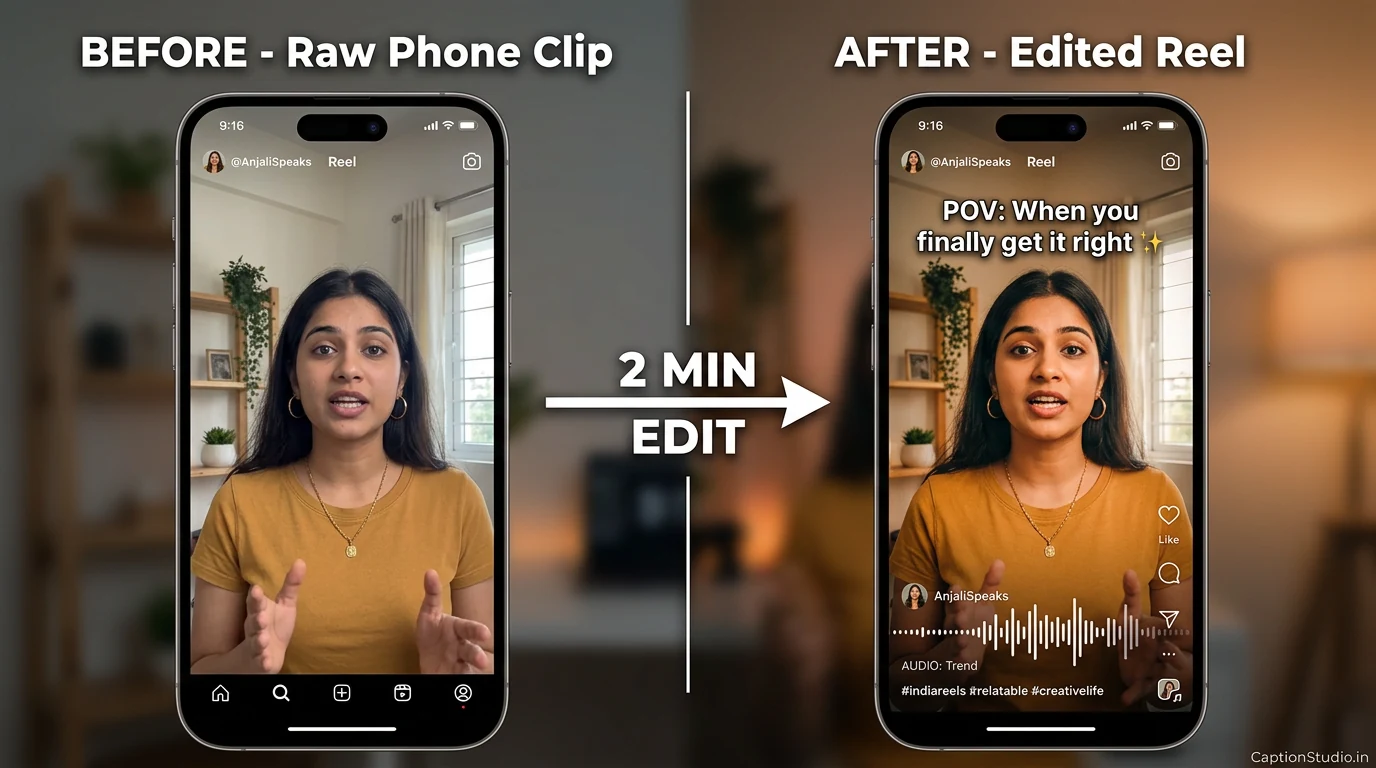
Sabse important truth jo creators bhul jaate hain: app sirf 30% hai. Edit style, music sync, hook, caption — ye 70% hai. Best app pick karne se zyada important hai consistent posting.
After Editing — Add Killer Captions (Most Important Step)
Editing complete? Best apps mein bhi caption likhna mushkil hota hai. Yahaan exactly CaptionStudio kaam karta hai:
- 🎯 AI Caption Generator — niche select karo, viral caption generate hoga (free)
- #️⃣ Hashtag Generator — niche-specific trending hashtags (free)
- 👤 Bio Generator — Instagram bio for creators
Aur agar tu serious creator banna chahta hai:
- 📖 Viral Captions for Reels 2026 — 500+ copy-paste captions
- 🎯 Viral Caption Strategy 2026 — frameworks + formulas
- 💼 Brand Deals Kaise Milte Hain 2026 — editing baad monetize karo
🚀 Editing Sorted — Ab Captions Bhi Sorted Karo
CaptionStudio ke free tools use karke har edited reel ke liye perfect caption + hashtags generate karo. Or — WhatsApp pe message karo for personalized help.
FAQ — Sabse Common Sawaal
Yes. CapCut has been officially banned in India since June 2020 and remains blocked through Google Play Store and Apple App Store in 2026. The ban is part of broader restrictions on ByteDance apps due to data privacy concerns. Indian creators are advised to use legal alternative apps like Instagram Edits, VN Editor, InShot, KineMaster, or Filmora instead.
Best free options 2026: (1) Instagram Edits — Meta's official app, free, no watermark, built for Reels, (2) VN Video Editor — pro-level features for free, no watermark, (3) DaVinci Resolve — Hollywood-grade desktop editor, completely free. Instagram Edits is the safest, most India-friendly choice.
Apps offering free editing without watermark: Instagram Edits (Meta), VN Video Editor (free version), DaVinci Resolve (desktop). Most others like InShot, KineMaster apply watermark on free version which requires Pro subscription to remove.
We don't recommend using VPN to bypass official app restrictions. While VPNs are legal in India, using them to access banned apps may violate the app's terms of service. Legal alternatives like Instagram Edits, VN Editor, and InShot offer similar features safely. Stick with officially available apps for long-term peace of mind.
Top paid picks: (1) Filmora (₹1,999/year) — best desktop balance, (2) KineMaster Premium (₹399/month) — best mobile multi-layer, (3) InShot Pro (₹499/year) — best beginner mobile, (4) Adobe Premiere Rush (₹699/month) — best cross-device workflow.
VN Editor is better for serious creators who want pro features — multi-track timeline, keyframes, color grading, and no watermark on free version. InShot is better for absolute beginners who want quick, simple edits — but free version has watermark. If you'll post daily Reels, VN is the better long-term pick.
Yes. Best desktop options: (1) Filmora — beginner-friendly paid, (2) DaVinci Resolve — free pro-level, (3) Adobe Premiere Rush — mobile-desktop sync, (4) Canva Video — browser-based templates, (5) VEED.io — fully online. After editing, transfer to phone via cloud and post via Instagram app.
Yes. All 10 apps recommended here are legally available in India through official app stores. They follow India's data protection laws and are safe for personal and commercial creator use.
No. Many viral Reels are created with completely free apps. Content quality, hook strength, and consistency matter more than expensive software. Start with Instagram Edits or VN Editor (both free, no watermark) and upgrade only when you hit a specific limitation. Tool doesn't make the creator — strategy does.
Based on public discussions in 2026, most-used apps among Indian Instagram creators: VN Editor (for free pro editing), InShot (for quick beginner edits), KineMaster (for multi-layer mobile work), Filmora (for desktop). Many also use Canva for thumbnail designs and CaptionStudio AI Caption Generator for captions.
📖 Sources & References
- App official websites: Wondershare (Filmora), CyberLink (PowerDirector), Adobe (Premiere Rush), Blackmagic Design (DaVinci Resolve)
- Google Play Store India + Apple App Store India listings (June 2026)
- Government of India app restriction notifications (June 2020 onwards)
- Industry analysis from Kripesh Adwani, Multilogin, Argil.ai (2026)
- Real user reviews on Play Store / App Store India